MOA
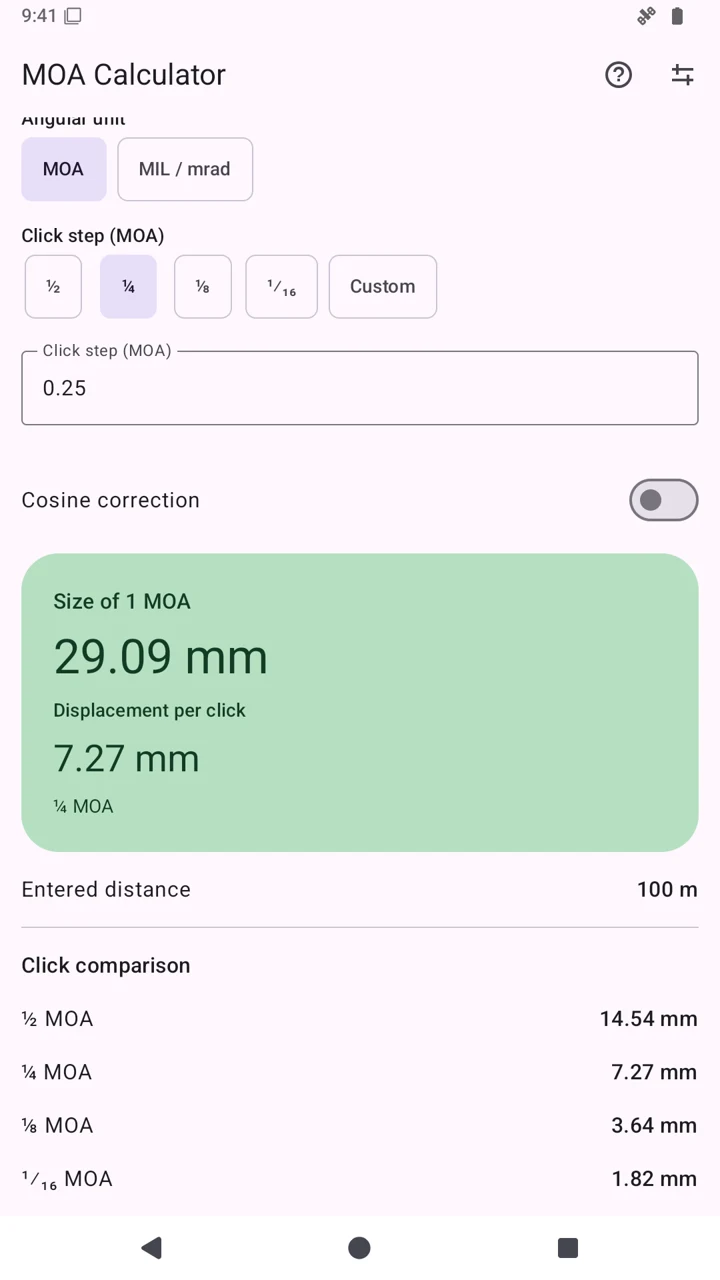
Minute of Angle: one sixtieth of a degree. A turret marked ¼ MOA moves by 0.25 MOA per click, rather than a whole MOA.
7.27 mm100 m · ¼ MOA per click
 MOA Calculator
Precision, one click at a time.
Find out how far one scope click moves at your chosen distance. Select MOA or MIL: MOA Calculator makes the numbers clear and helps you understand your adjustments.
For Android 12 and later. Contains ads and an optional purchase to remove them.
A scope turret changes the aiming direction by a small angle. The same click corresponds to a larger displacement on a more distant target. Double the distance and the geometric displacement doubles.
Minute of Angle: one sixtieth of a degree. A turret marked ¼ MOA moves by 0.25 MOA per click, rather than a whole MOA.
7.27 mm100 m · ¼ MOA per click
Here MIL means milliradian. A 0.1 mrad click corresponds to about one centimeter at 100 meters. MOA and MIL both measure angles, using different scales.
10.00 mm100 m · 0.1 mrad per click
Keep meters and yards distinct: 100 yards is 91.44 meters. The app displays millimeters with meters, and inches with yards. One MOA at 100 yards is about 1.047 inches; the “one inch” rule is an approximation.
The app gives you the theoretical displacement of one click. To estimate the required number of clicks, compare that value with the offset you measure on the target. Work on the horizontal and vertical axes separately.
Follow the firearm, scope and mounting manuals and range rules; always work in safe conditions.
Find the per-click value on the turret or in its manual, such as ¼ MOA or 0.1 MIL. Do not infer it from scope magnification or from the reticle scale alone.
Enter the actual target distance and choose meters or yards. Select MOA or MIL / mrad and the correct click size; “Custom” accepts other values. For ordinary zeroing on level ground, leave cosine correction off.
From a stable position, obtain a repeatable group. Measure its center relative to the aiming point, horizontally and vertically, using the result units: millimeters or inches. Avoid chasing a single isolated shot.
Required clicks = measured offset ÷ displacement per click. Use “Displacement per click”, rather than “Size of 1 MOA”. Round to the nearest whole click if the turret does not allow fractional clicks.
Adjust toward the aiming point using the manufacturer’s direction markings; turret conventions can differ. Shoot another group and verify. This is a geometric estimate; the scope’s actual response must be checked on the target.
A worked example
The group center is 29 mm to the right and 14.5 mm below the aiming point.
These directions describe the desired point-of-impact movement. Consult your scope for the rotation direction. Illustrative diagram, not an app screenshot.
For mounting, turret locks and mechanical zero settings, use your model’s manual. A reference for understanding the process: Leupold Tactical Scope Manual.
This website example shows the relationship between distance, angle and displacement. It does not save profiles or simulate a trajectory. Values stay in your browser.
Theoretical displacement at the selected distance, without slope correction.
Apply the count in the required direction and verify on the target.
A focused calculator for understanding your scopes, comparing click sizes and recalling settings without entering them again every time.
The slider covers distances from 10 to 300; you can type other positive distances up to 10,000 equivalent meters. A decimal point or comma is accepted.
Tap the question mark to review units, formulas, examples and profiles. Calculations, profiles and the guide work without a connection.
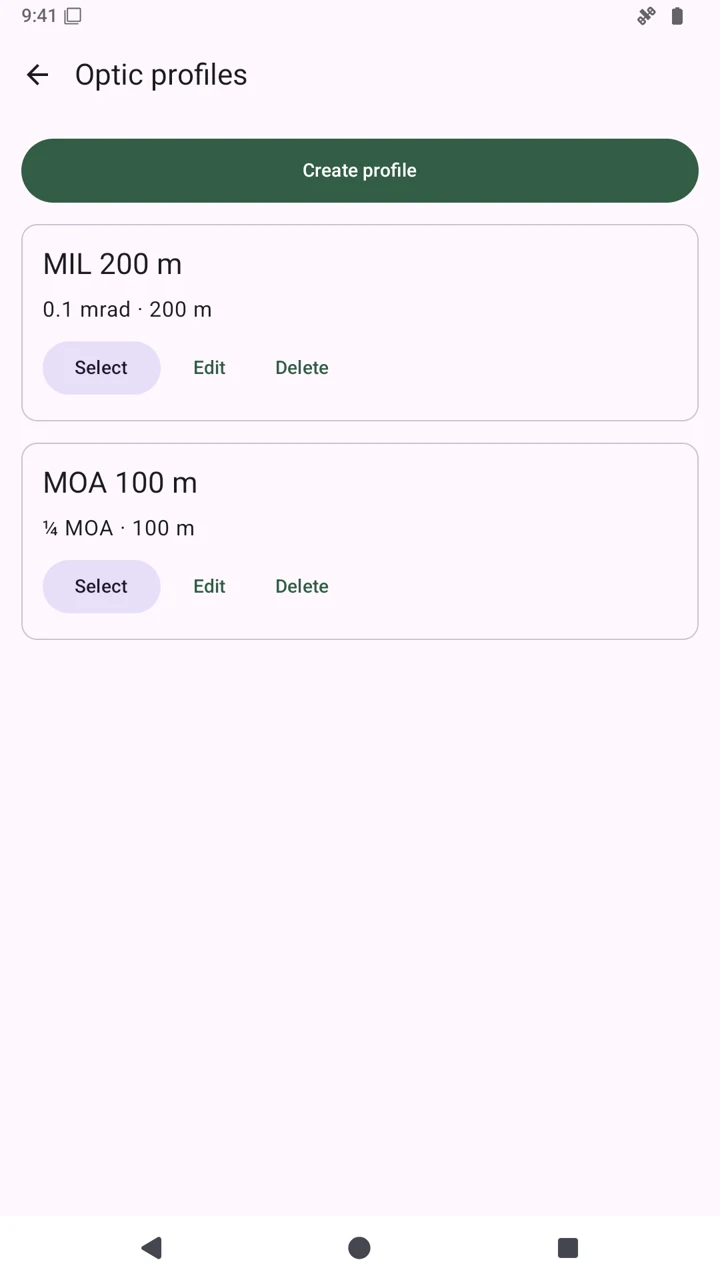
Open “Manual settings”, then “Manage profiles”. Create a named profile with angular mode, click size, distance and unit. Select it to recall these values. Changes to the current calculation do not overwrite a saved profile; use “Edit” in Manage profiles to keep them.
A profile stores calculation settings, not the physical turret position, ammunition type or a ballistic zero.
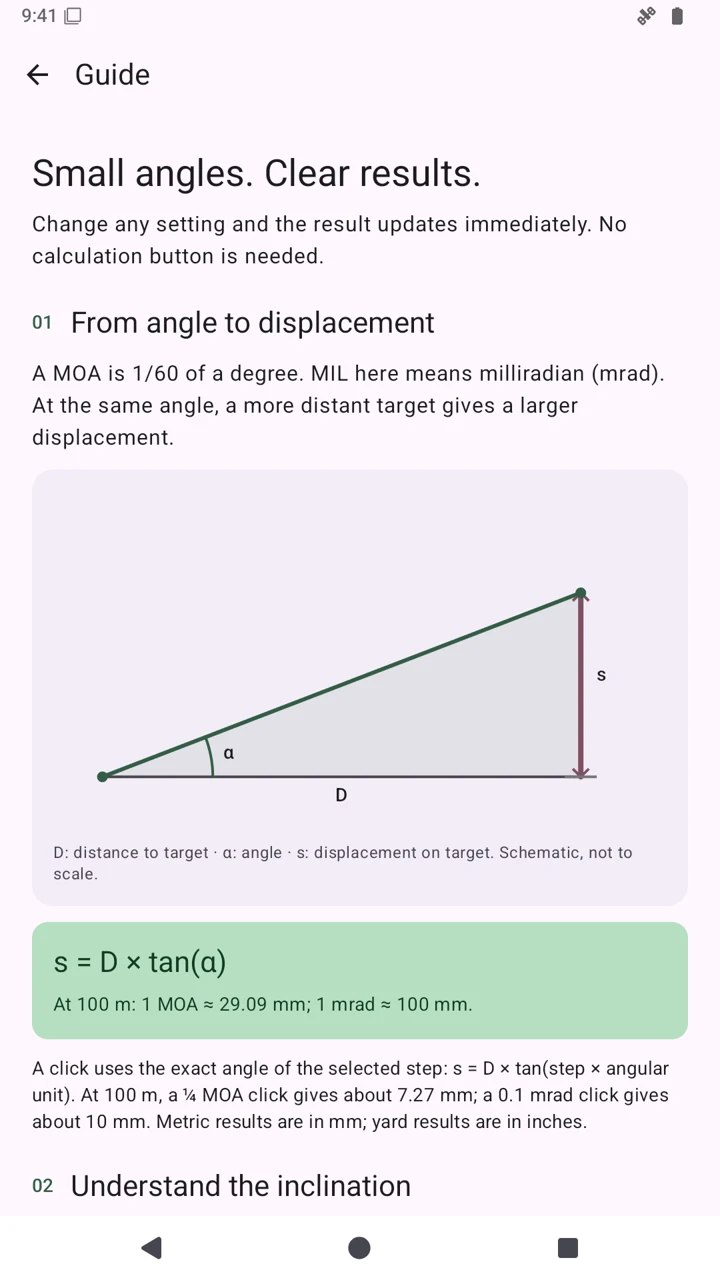
A few key ideas to interpret the result correctly.
When enabled, the app uses horizontal distance h = D × cos(θ) for its geometric calculation. For example, 100 m at ±30° becomes about 86.60 m, and a ¼ MOA click corresponds to about 6.30 mm in that model. This projects distance; it does not predict impact or replace a ballistic solution for inclined shooting. Leave it off for level-ground zeroing.
No. It converts an angle into a length at the selected distance. It does not use muzzle velocity, ballistic coefficient, atmosphere or wind, and does not predict future impact. Those tasks require an appropriate ballistic tool and real-world verification.
Displacement = distance × tan(angle per click). One MOA is π / 10,800 radians; one mrad is 0.001 radians. The app calculates one angular unit and the selected click size separately. The click comparison shows other steps in the same mode; switch between MOA and MIL to compare the two scales at the same distance.
Yes: 1 mrad is about 3.438 MOA. However, a 0.1 mrad click is different from a ¼ MOA click. Always enter the unit and click size specified for your scope.
Calculations and profiles work offline. Ads, buying or restoring ad removal, and opening web pages require online services. The interface is available in Italian, English, Spanish, Simplified Chinese and Hindi; the app also adapts to tablets.
The actual screenshots were captured without advertising banners. The free version may show AdMob ads; ad removal is an optional in-app purchase. A website donation supports development and does not remove ads or unlock features.
Independent development
MOA Calculator is a Peste Products project. If it helps you, you can support the time spent improving it with a voluntary Bitcoin donation via Lightning.
It uses the same donation destination as Riffto. You need a wallet compatible with BOLT12 offers: choose the amount and confirm in your wallet.
The website does not execute payments or request credentials. A donation is separate from the app’s “Remove ads” purchase.
Ideas or issues? Contact the developer ↗ You can also select and copy the code manually.
If your wallet does not recognize the offer, check its BOLT12 support. A wallet that only accepts BOLT11 invoices may not open it.